Windows 10 / 11 · 64-bit · free licence
The dictionary on your desk, not in the cloud.
Offline Quillar installs ten Tamil dictionaries on your PC and sits quietly in the tray. Select a word anywhere — a PDF, a web page, a document — press the hotkey, and the entry is there.
What it does.
Look up from anywhere
Select a Tamil word in any program and press the hotkey. A small glance window shows the entry; press again and it is gone. You never leave what you were reading.
Browse like a book
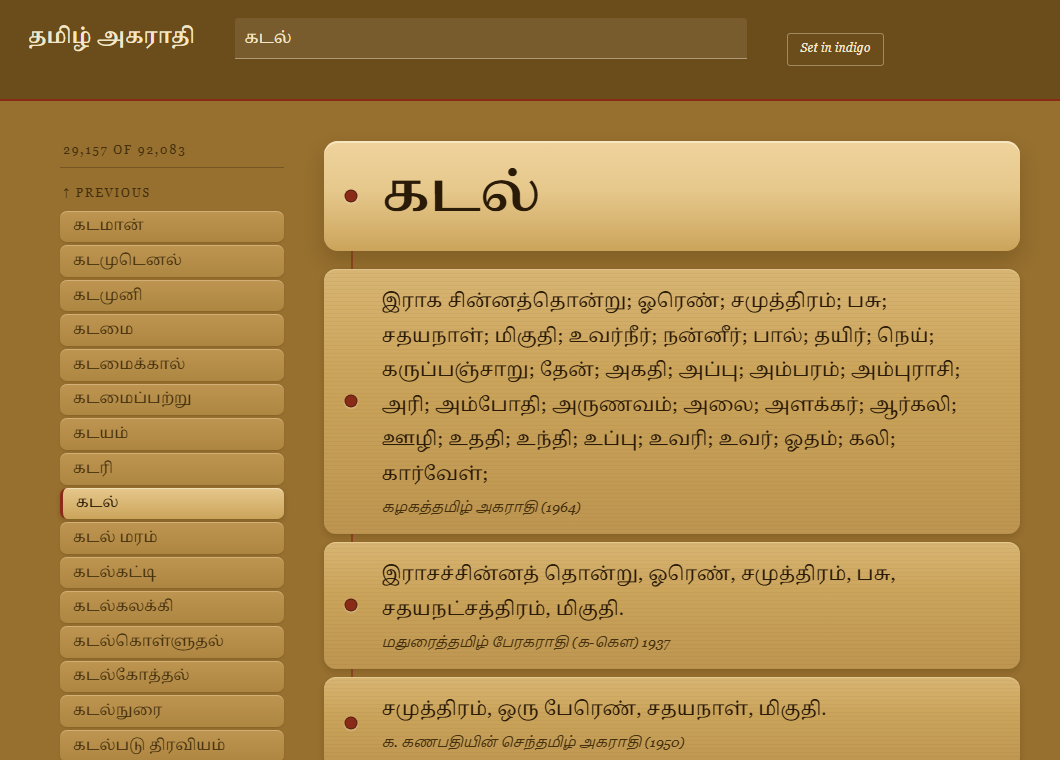
Every headword sits between its neighbours, so you can walk up and down the alphabet the way you would turn pages — useful when you are not sure of a spelling.
Two settings
Read it as a palm-leaf bundle — ochre, umber, madder — or as a nigandu, chalk on indigo. Switch any time.
Completely offline
The whole dictionary is on your disk. After activation the app never connects to anything; nothing you look up is recorded anywhere.
Ten sources, side by side
From the 1937 Madurai Tamil Peragarathi to the present, each dictionary's entry is shown under its own name and year.
Free upgrades
The download link in your licence email always fetches the newest version. Install it over the old one; your key and settings carry across.
How you get it.
1 · Ask for a key
Enter your name and email on the licence page and accept the terms. It is free.
2 · Install
The email carries your key and a download link. Run the installer — Windows 10 or 11, 64-bit, about 80 MB on disk.
3 · Enter the key once
Quillar asks for the key the first time it starts and activates this machine. Up to three machines per key.